


HTML Color Codes, Color Picker & HEX Tools: The Ultimate Guide to Modern Web Design Colors in 2026
HTML Color Codes, Color Picker & HEX Tools: The Ultimate Guide to Modern Web Design Colors in 2026
Colors influence how people perceive brands, interact with websites, and make purchasing decisions. Whether you're a web designer, UI/UX specialist, developer, marketer, or creative professional, understanding HTML Color Codes and modern color systems is essential for creating visually appealing and accessible digital experiences.
At the forefront of professional color resources is HTML Color Hex, a free online platform designed to help users discover, generate, convert, and analyze colors with ease. From an advanced HTML Color Picker to color palette generators, contrast checkers, and HEX to RGB converters, the platform provides everything needed to build beautiful and accessible designs.
What Are HTML Color Codes?
HTML Color Codes are standardized values used to define colors in websites, applications, and digital designs. These codes allow browsers and design software to display colors consistently across different devices and platforms.
Common color formats include:
- HEX Color Codes
- RGB Color Codes
- HSL Color Values
- CMYK Color Codes
- CSS Color Codes
For example:
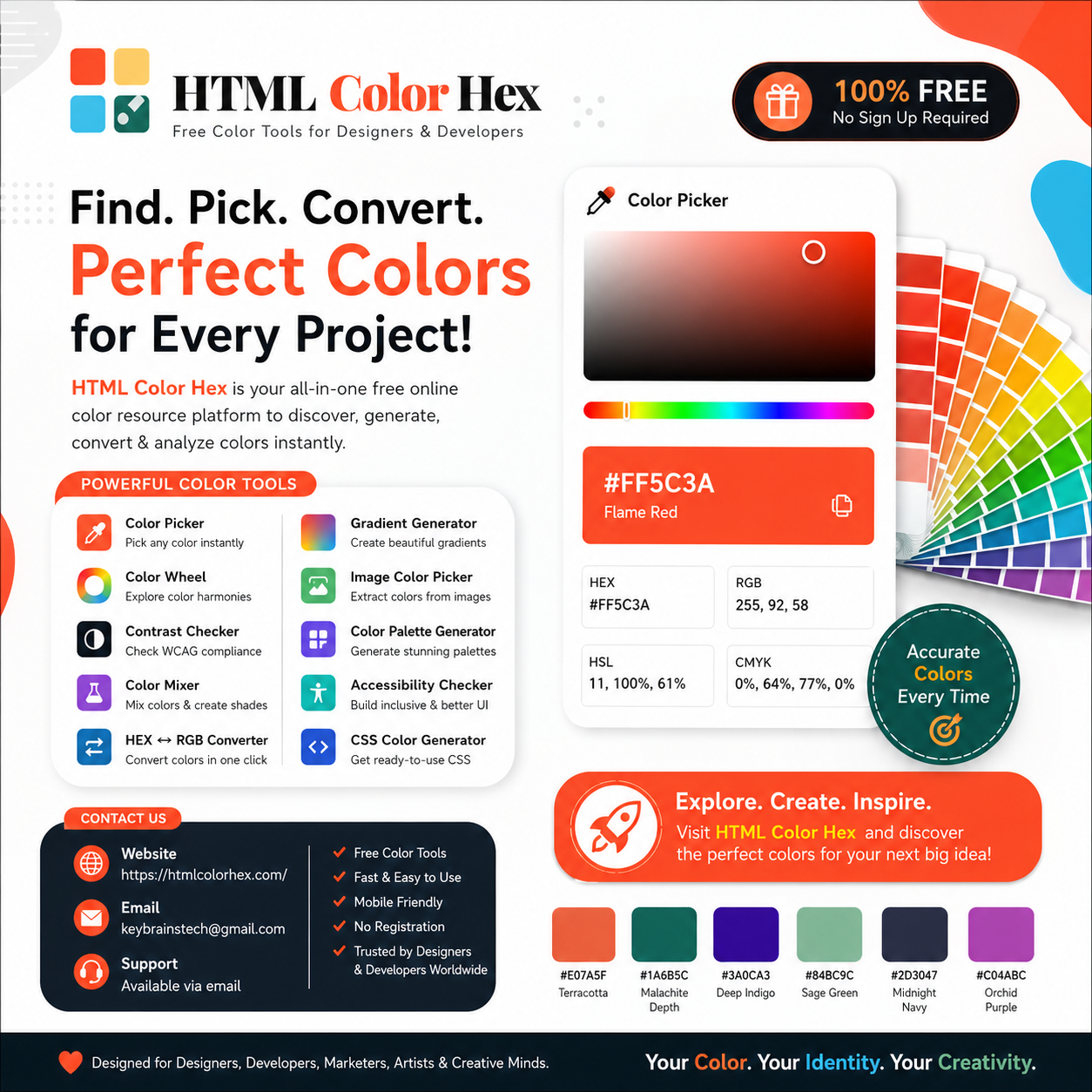
- Terracotta (#E07A5F)
- Flame Red (#FF5C3A)
- Malachite Depth (#1A6B5C)
- Deep Indigo (#3A0CA3)
- Sage Green (#84BC9C)
- Midnight Navy (#2D3047)
- Orchid Purple (#C04ABC)
Using accurate color values helps maintain brand consistency and design quality.
Understanding HEX Color Codes
HEX Color Codes are among the most widely used color formats in web design. A HEX value consists of six characters preceded by a hash symbol (#).
Example:
#FF5C3A
The code represents the intensity of Red, Green, and Blue color channels.
HEX values are preferred because they are:
- Easy to use
- Browser friendly
- Precise and accurate
- Supported across all modern web technologies
HTML Color Hex provides instant HEX values alongside RGB, HSL, and CMYK formats for seamless color conversion.
RGB vs HEX vs HSL vs CMYK
Each color format serves a specific purpose:
RGB Color Codes
Used for digital screens and web interfaces.
Example:
RGB(255, 92, 58)
HEX Color Codes
Compact representation of RGB values.
Example:
#FF5C3A
HSL Color Values
Based on Hue, Saturation, and Lightness.
Example:
HSL(11°, 100%, 61%)
CMYK Color Codes
Primarily used for print design.
Example:
CMYK(0%, 64%, 77%, 0%)
Professional designers often switch between these formats depending on their project requirements.
Why Colors Matter in Web Design
Color is more than aesthetics. It directly impacts:
- User experience
- Brand recognition
- Conversion rates
- Accessibility
- Navigation clarity
- Emotional engagement
Modern UI design trends in 2026 emphasize purposeful color selection rather than purely decorative choices.
Popular web design colors include:
- Deep Indigo for technology brands
- Sage Green for wellness companies
- Midnight Navy for professional services
- Flame Red for attention-grabbing CTAs
How Designers Use Color Palettes
Color palettes help create visual consistency across websites, mobile apps, advertisements, and branding materials.
Well-structured Designer Color Palettes typically include:
- Primary color
- Secondary color
- Accent color
- Neutral shades
- Background colors
Using a Color Palette Generator helps designers quickly create harmonious color combinations that improve usability and aesthetics.
Benefits of Using a Color Picker
An HTML Color Picker allows users to identify and select precise colors instantly.
Advantages include:
- Accurate color selection
- Instant HEX, RGB, HSL & CMYK values
- Faster design workflow
- Better color consistency
- Improved branding
Whether you're designing a landing page or creating a marketing graphic, a Color Picker Tool simplifies the process.
Introducing HTML Color Hex
HTML Color Hex is a free online color resource platform built for designers, developers, marketers, artists, students, and businesses worldwide.
Support:
Available via email
Contact:
keybrainstech@gmail.com
The platform offers:
✓ Free Color Tools
✓ Advanced Color Picker
✓ Professional Color Wheel
✓ Accessibility Contrast Checker
✓ Color Palette Generator
✓ Image Color Picker
✓ Gradient Generator
✓ Color Mixer Tool
✓ Mobile Friendly Interface
✓ No Registration Required
Color Picker Tool Explained
The Online Color Picker enables users to select colors visually while instantly viewing:
- HEX Color Codes
- RGB Color Codes
- HSL Values
- CMYK Color Codes
This helps designers work more efficiently while maintaining color accuracy.
Color Wheel and Harmonies
A Color Wheel helps users understand relationships between colors.
Popular harmony types include:
- Complementary
- Analogous
- Triadic
- Split Complementary
- Monochromatic
Using a Color Harmony Generator makes it easier to create balanced and attractive designs.
Accessibility and Contrast Checking
Accessibility should be a priority in every digital project.
WCAG Accessibility Standards
The Web Content Accessibility Guidelines (WCAG) provide standards for color contrast and readability.
AA Compliance
Suitable for most websites and digital products.
AAA Compliance
Higher accessibility standards for maximum readability.
Why Contrast Matters
Poor contrast can make content difficult to read for users with visual impairments.
HTML Color Hex includes a professional Color Contrast Checker and Accessibility Checker to help ensure compliance and inclusivity.
Color Mixer Tool
A Color Mixer Tool allows designers to blend colors and explore unique combinations.
Benefits include:
- Experimentation
- Brand color development
- UI theme creation
- Creative inspiration
HEX ↔ RGB Converter
The HEX to RGB Converter instantly converts between industry-standard color formats, making it ideal for developers, designers, and marketers.
Gradient Maker
Modern interfaces increasingly rely on gradients.
A Gradient Generator helps users create:
- Hero section backgrounds
- App interfaces
- Social media graphics
- Interactive UI components
Image Color Picker
The Image Color Picker extracts colors directly from uploaded images.
This is particularly useful for:
- Branding projects
- Photography
- Website redesigns
- Inspiration gathering
Color Palette Generator
Generate beautiful color schemes instantly using a Color Palette Generator.
Perfect for:
- Websites
- Mobile apps
- Marketing campaigns
- Brand identity systems
CSS Color Generator
Developers can generate ready-to-use CSS Color Codes that integrate directly into modern web projects.
Color Psychology in Branding
Colors influence emotions and purchasing behavior.
Examples:
- Blue = Trust and professionalism
- Green = Growth and sustainability
- Red = Energy and urgency
- Purple = Creativity and luxury
- Navy = Authority and confidence
Choosing the right brand color can significantly impact customer perception.
Website Design Trends in 2026
Current trends include:
- Accessibility-first design
- Soft gradients
- Dark mode optimization
- Minimalist color systems
- Nature-inspired palettes
- Dynamic color themes
- AI-assisted palette generation
Trending colors such as Sage Green, Deep Indigo, and Midnight Navy continue gaining popularity across modern interfaces.
Why Choose HTML Color Hex?
Designers and developers choose HTML Color Hex because it offers:
- Free Access
- Fast Interface
- Professional Tools
- Accessibility Features
- Color Conversion Tools
- Palette Generator
- Accurate Color Values
- Easy Navigation
- Mobile-Friendly Design
- Continuous Improvements
Whether you're a beginner or experienced professional, the platform provides reliable and developer-friendly tools for every project.
Frequently Asked Questions
What are HTML color codes?
HTML color codes are standardized values used to define colors in websites and digital designs.
What is a HEX color code?
A HEX color code is a six-character color value used in web development and design.
What is the difference between HEX and RGB?
HEX uses hexadecimal notation, while RGB uses numerical red, green, and blue values.
Why use a color picker?
A color picker enables fast and accurate color selection while providing instant color values.
What is a color palette?
A color palette is a collection of coordinated colors used throughout a design or brand identity.
Why is color accessibility important?
Accessibility ensures content remains readable and usable for people with visual impairments.
Why choose HTML Color Hex?
HTML Color Hex offers free professional color tools, accessibility features, accurate conversions, and a user-friendly experience for creative professionals worldwide.
Conclusion
Color plays a critical role in web design, branding, user experience, accessibility, and digital marketing. Having access to accurate HTML Color Codes, professional color conversion tools, accessibility testing resources, and palette generators can dramatically improve the quality of any creative project.
HTML Color Hex has become a trusted destination for color discovery, color conversion, palette creation, accessibility testing, and professional design tools. Whether you're looking to explore HTML Color Codes, use a Free Color Picker, generate beautiful color palettes, convert HEX to RGB, analyze HSL and CMYK values, or check WCAG accessibility compliance, the platform provides everything you need in one place.
Visit: https://htmlcolorhex.com/ today to explore professional-grade color tools.
Try the Free Color Picker.
Generate Beautiful Color Schemes.
Browse Trending Colors.
Check Color Contrast Instantly.
Use Professional Color Tools.
For support or inquiries, contact: keybrainstech@gmail.com
HTML Color Hex proudly provides free professional color tools for designers, developers, artists, marketers, students, branding agencies, and creative professionals worldwide.

 English
 Arabic
 French
 Spanish
 Portuguese
 Deutsch
 Dutch
Dutch
 Italiano
 Russian
 Romaian
 Portuguese (Brazil)
 Greek
Greek