


Home Security Upgrade: Smart Lock Installation Tips and Best Practices
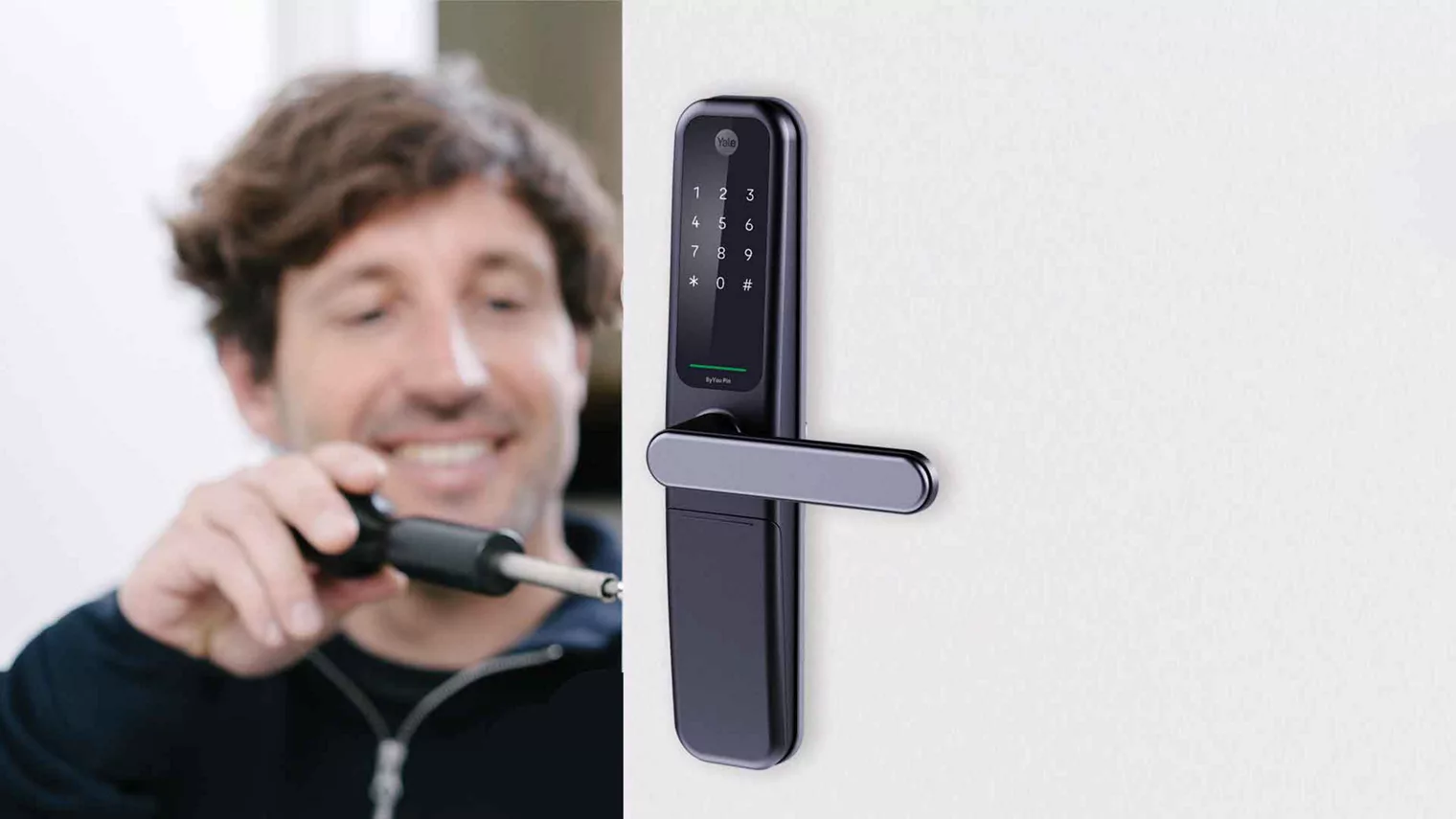
In today’s fast-paced world, home security is a top priority for homeowners everywhere. With technology advancing rapidly, traditional locks and keys are no longer the only option for securing your home. Smart locks are becoming an increasingly popular choice due to their convenience, reliability, and enhanced security features. Whether you're upgrading an existing lock system or installing a smart lock for the first time, this guide will provide you with the essential tips and best practices for smart lock installation.
What is a Smart Lock?
A smart lock is an advanced locking mechanism that can be controlled remotely via a smartphone app, voice command, or through a traditional key. Unlike conventional locks, which rely on physical keys, smart locks use electronic and digital technology to offer enhanced security, control, and ease of access.
Smart locks come with a variety of features, including:
-
Remote Control: Open and close your doors remotely using a smartphone or a specialized app.
-
Keyless Entry: Unlock your door with a PIN code, fingerprint, or Bluetooth signal.
-
Voice Activation: Integrate with virtual assistants like Alexa, Google Assistant, or Apple HomeKit for hands-free operation.
-
Temporary Access: Grant access to guests, contractors, or cleaners with temporary or time-sensitive codes.
-
Audit Trails: Monitor access logs and receive alerts whenever someone enters or exits the property.
Smart locks have revolutionized home security, providing homeowners with greater control over who enters their homes and enhancing the overall security level.
Why Choose Smart Locks for Home Security?
Before diving into the specifics of smart lock installation, let’s first explore why smart locks are an excellent choice for upgrading your home security.
1. Increased Security
Traditional locks can be picked, bumped, or broken. Smart locks offer higher security by using encryption and advanced technology to prevent unauthorized access. Some models even allow you to set up geofencing, meaning the door automatically locks when you leave your home or unlocks when you approach.
2. Convenience and Accessibility
Forget about carrying keys or worrying about losing them. With keyless entry, you can unlock your door using a smartphone, PIN code, or a Bluetooth signal. You can also share access with family members and trusted individuals remotely, which is a huge convenience for busy families or people who travel often.
3. Remote Access Control
If you’ve ever wondered who’s at your front door when you’re not home, a smart lock provides peace of mind. Most smart locks come with remote access features through a mobile app, which means you can lock or unlock your door from anywhere. Whether you’re at work, at the gym, or on vacation, you can control your locks from your smartphone.
4. Temporary Access for Visitors
One of the standout features of a smart lock is the ability to provide temporary access to visitors or service providers. You can issue a unique code that expires after a set time, making it ideal for contractors, cleaning services, or Airbnb guests. This means you don't have to worry about providing physical keys and can maintain control over who enters your home.
5. Integration with Home Automation Systems
Most smart locks integrate seamlessly with other smart home devices, allowing you to build a comprehensive home automation system. For example, you can program your smart lock to automatically unlock when your smart security camera detects your arrival, or integrate it with your smart thermostat to adjust the temperature when you enter.
Types of Smart Locks
Before you begin your smart lock installation, it’s important to understand the different types available. Each type of smart lock has unique features, so it’s important to choose the one that fits your needs.
1. Deadbolt Smart Locks
A deadbolt smart lock is a type of lock that replaces the traditional deadbolt in your door. These are the most common type of smart lock used for residential properties. Deadbolt smart locks typically come with features like keyless entry, Bluetooth connectivity, and remote access via an app.
2. Lever Handle Smart Locks
Lever handle smart locks are installed on doors that use a lever handle rather than a traditional knob. These are commonly used for interior doors, such as office doors or bedrooms, but they can also be used for exterior doors. They offer the same features as deadbolt smart locks, such as keyless entry and remote access.
3. Smart Deadbolt and Lockset Combos
Some manufacturers offer combo smart locksets, which include both a deadbolt and a traditional handle lock in one unit. These systems are particularly useful for homeowners who want to upgrade the entire door locking mechanism at once.
4. Smart Padlocks
For external gates, sheds, or other storage units, smart padlocks are an excellent option. They provide the same keyless access and remote control features but are portable and ideal for securing things outside the home.
5. Bluetooth Smart Locks
Many smart locks use Bluetooth for proximity-based unlocking. These locks typically require you to have your smartphone with you, and the door will automatically unlock as you approach. Bluetooth smart locks are easy to install and use, but they do require your phone to be within range to work.
6. Wi-Fi Smart Locks
Wi-Fi smart locks are equipped with the ability to connect directly to your home’s Wi-Fi network. These locks allow for full remote control from anywhere in the world, as long as you have an internet connection. They are ideal for those who want more comprehensive remote control and are often a bit more expensive than Bluetooth models.
Smart Lock Installation Tips and Best Practices
Now that you understand why smart locks are a great choice for home security, it’s time to get into the details of installing your smart lock. Whether you’re installing it yourself or having a professional handle it, there are a few key tips and best practices to follow for a smooth installation process.
1. Choose the Right Smart Lock for Your Door
Before you begin installation, ensure that the smart lock you choose is compatible with your existing door and lock hardware. Most smart locks are designed to fit standard doors with a traditional deadbolt, but it’s always a good idea to check the manufacturer’s specifications. Make sure the smart lock works with the type of door you have, and verify the dimensions to ensure a proper fit.
2. Remove the Existing Lock
If you’re replacing an old lock, start by removing the existing hardware. Use a screwdriver to detach the old deadbolt and handle. Be sure to remove all the screws, and clean the area around the lock to prepare it for the smart lock installation. Some smart locks may require a new hole for installation, so be sure to check the installation instructions for any additional preparation.
3. Install the Smart Lock Hardware
Once the old lock is removed, follow the instructions that came with your smart lock. In most cases, this will involve attaching the smart lock’s mounting plate to the door and aligning it with the existing holes. For Bluetooth smart locks, you may only need to attach the interior and exterior parts of the lock. For Wi-Fi-enabled locks, make sure to connect the device to your Wi-Fi network during installation.
4. Program Your Smart Lock
Once the hardware is in place, it’s time to program your smart lock. This step typically involves connecting the lock to your smartphone app via Bluetooth or Wi-Fi. Download the app provided by the smart lock manufacturer and follow the prompts to sync your lock. You’ll usually be asked to create a PIN code or provide biometric data (fingerprint or face recognition) for access.
5. Test the Lock
After programming the smart lock, test it thoroughly to ensure it works correctly. Lock and unlock your door several times using different methods (such as the app, PIN code, or key fob) to make sure everything is functioning as expected. Also, check that the battery is installed correctly and that the lock responds quickly to your commands.
6. Secure Your Smart Lock System
Smart locks often require an internet connection to function properly. Make sure that your Wi-Fi connection is stable, and that your lock is secure from potential hacking attempts. Use strong passwords for any accounts associated with the lock, and enable two-factor authentication if available. Keep the app updated to ensure you have the latest security features.
7. Keep Spare Keys
Even though a smart lock offers keyless entry, it’s always a good idea to have spare physical keys on hand as a backup. If the smart lock fails or the battery runs out, you’ll still need a way to access your home. Store your spare keys in a safe, secure location, and make sure trusted family members have access to them.
8. Regular Maintenance
Smart locks, like any piece of technology, need regular maintenance. Periodically check the batteries and replace them as needed. Ensure that the lock is free from dirt, dust, and debris, especially in outdoor settings. Perform occasional software updates to keep the system running smoothly.
Common Issues with Smart Lock Installation
While smart locks offer increased security and convenience, you may encounter some common issues during installation. Here are a few potential problems and how to address them:
1. Connectivity Issues
If your smart lock isn’t connecting to your phone or Wi-Fi, try resetting the device and reconnecting it to your network. Ensure that your phone’s Bluetooth is turned on or that you have a stable Wi-Fi connection.
2. Locking/Unlocking Delays
Sometimes, a slight delay in locking or unlocking can occur, especially with Bluetooth-based locks. Make sure the lock is close enough to your phone, and ensure that your Bluetooth connection is stable.
3. Battery Drain
Smart locks rely on batteries, and some models may experience faster battery drain than others. Opt for high-quality rechargeable batteries, and check the battery status regularly through the app.
Conclusion
Upgrading to a smart lock is one of the best ways to enhance the security of your home while adding convenience and modern technology. With proper installation and attention to detail, a smart lock can significantly improve your home's access control. By following the tips and best practices outlined above, you can ensure that your smart lock installation is smooth, secure, and functional for years to come.
Whether you’re installing a smart lock yourself or hiring a professional, remember to choose the right lock for your needs, follow the manufacturer’s instructions carefully, and maintain your system regularly. A smart lock isn’t just a convenience; it’s a long-term investment in your home’s safety and security.

 English
 French
 Spanish
 Portuguese
 Deutsch
 Turkish
 Dutch
Dutch
 Italiano
 Russian
 Romaian
 Portuguese (Brazil)
 Greek
Greek